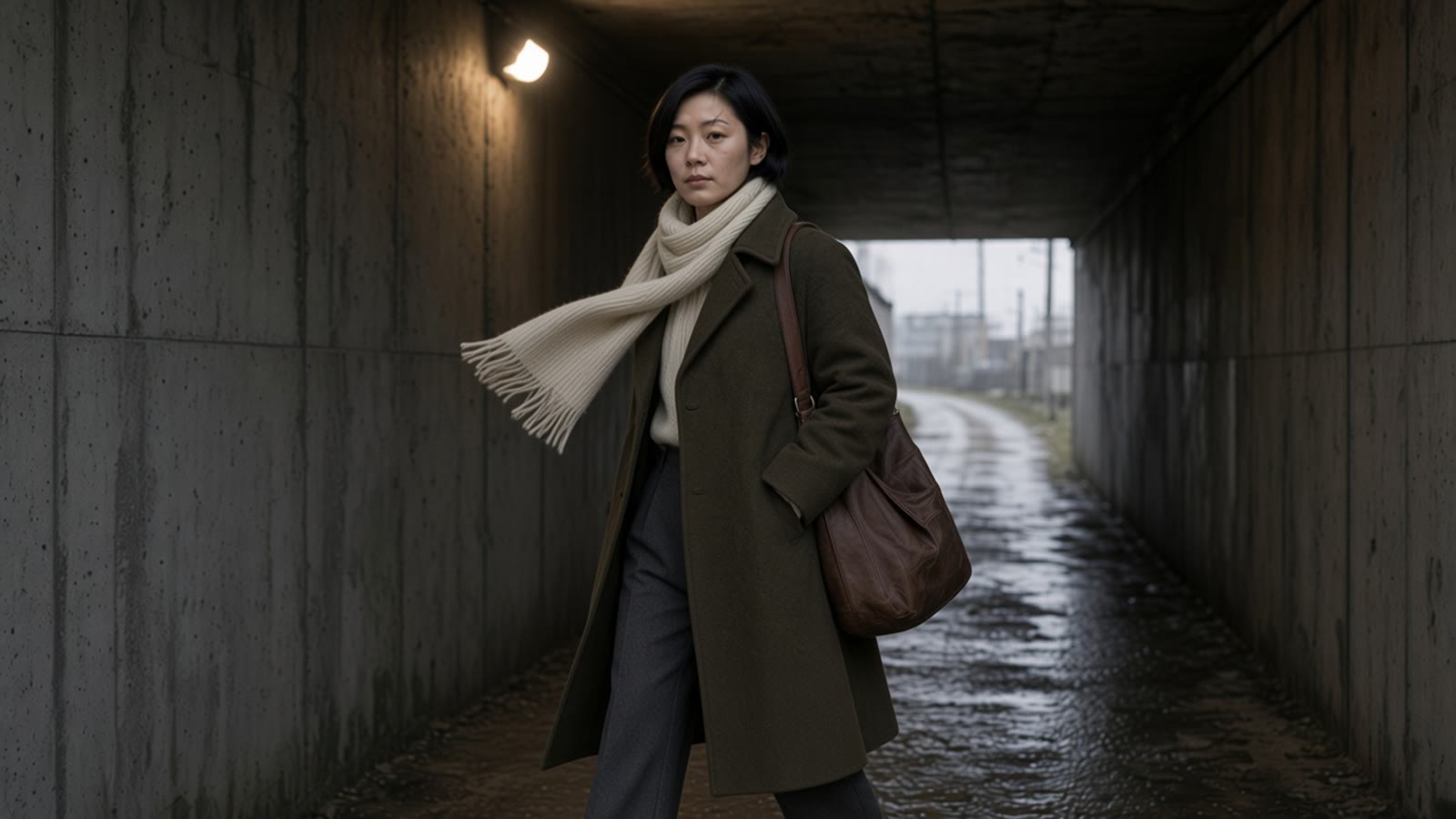
Luma Character Sheet Habit: Keep One Character Across AI Video Shots
Luma put Character Sheet in the Luma app on 4 November 2026. It is not in the VibePaper picker. Here is the same habit on the tools that are: lock the stills, grade them once, then walk that one person.
This is a production sheet for one person who has to survive more than one shot. It is not a lock screen, a phone background, or a desk setup. Luma Character Sheet is not a control in Paper Gen or on the canvas.
4 NovLuma shows Character Sheet in the app
0/8Preset counter on the product page
No priceNo API and no limits in those notes
Not listedCharacter Sheet in the VibePaper picker
On 4 November 2026 Luma Labs showed Character Sheet inside the Luma app. The product page describes the job in one line: a consistent multi-view sheet from reference images or a written design. Neurocartel’s 5 November roundup says the useful part is that face, clothing and proportions drift less from view to view, and that the announcement listed no price and no limits. AdGraam’s note the same day agrees on the gap: no spec, no pricing, no plan limits, no API. ArtRealmAI, also on 4 November, reads the live page as a closed in-app image tool. The page this guide opened shows a preset counter of 0/8 and the names Essential, Turnaround, Vertical, Expanded, Signature, Dossier and Lookbook. ArtRealmAI’s note adds Study board to that list and reads the counter as a cap of eight. It also mentions an optional directions field beside the references. None of those sources say what a preset actually draws. AdGraam, reading the announcement rather than the labels, says the layout was not announced.
Lock the person before you ask for the walk.
Character Sheet is an image tool that is meant to feed a later video. The write-ups do not name a Luma video model that reads the sheet, and they do not name a credit cost. VibePaper does not ship the tool. The habit is the part worth taking: one approved person, several views that match, then motion. A single prompt that asks for every angle at once is how the face changes between frames.
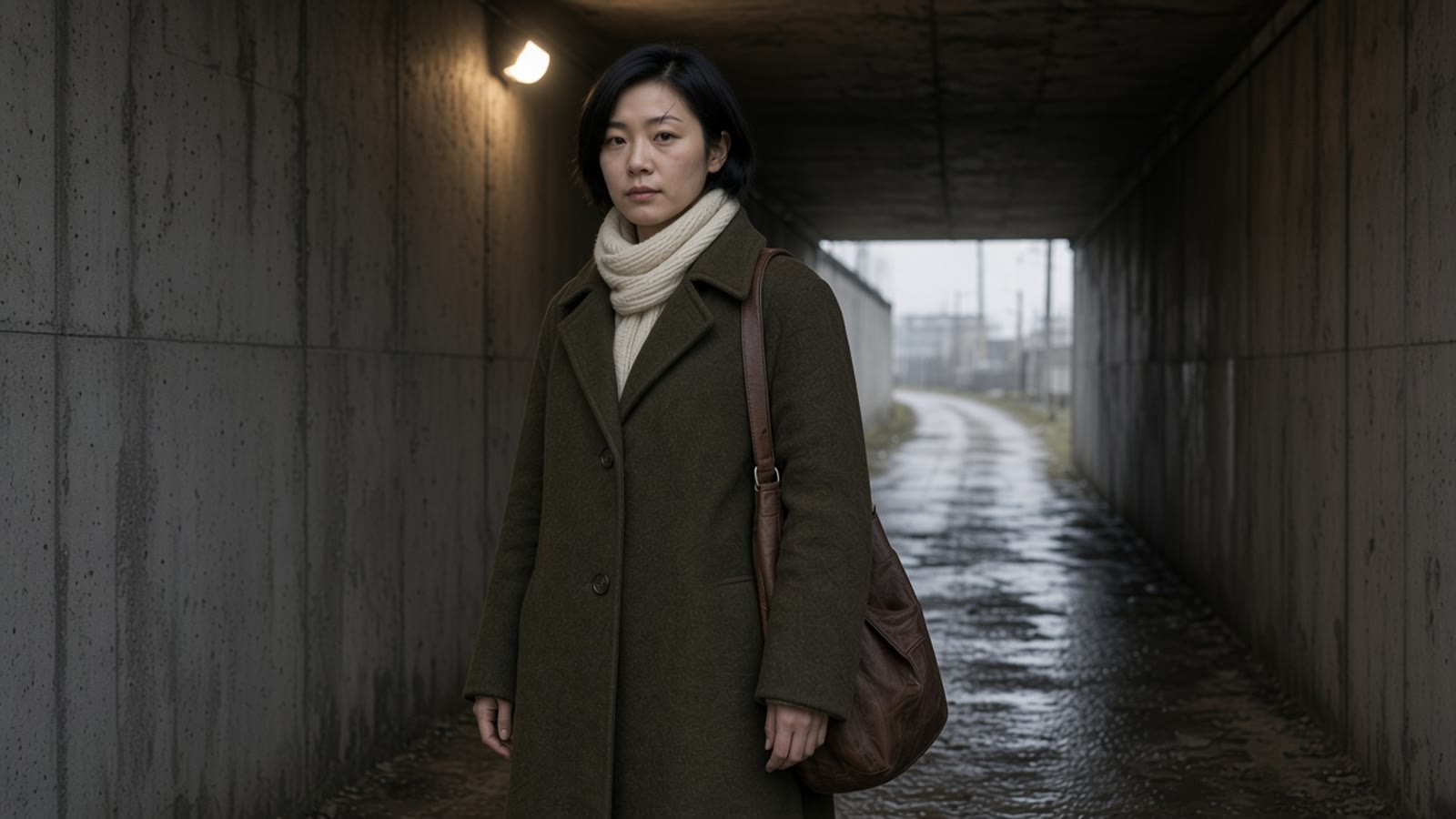
Here the sheet is four stills, not one poster. Paper Gen draws them on Seedream 5.0. You line them up on the canvas and grade them once. Seedance 2.5 walks her. The Seedance prompt guide already annotates a four-shot storyboard with references. This page stops at the sheet and the first moving shot. The image-to-video guide covers when one still is enough. The Kling 4.0 Flash guide covers the cheap draft pass. Neither is repeated below.
Published vs here
What Luma published, and what you can run here
The left column is the 4 November release as those notes read it. The right column is only controls that exist in VibePaper. A Seedance clip is not a Luma Character Sheet export.
Character Sheet, as publishedIn VibePaper
An in-app image tool. Reference images, or a written design, become one multi-view sheet so the face, the clothes and the proportions drift less.
Not in this picker. Draw the front, the three-quarter and the profile as separate stills in Paper Gen, on Seedream 5.0. Same words, one angle changed.
A preset counter of 0/8. Named labels include Essential, Turnaround, Vertical, Expanded, Signature, Dossier and Lookbook. ArtRealmAI also lists Study board. No source defines the layouts.
There is no Luma preset to pick. Style category Live-action, preset AI Realistic, on each still. On the canvas, 3-View includes Character 3-View, Face 3-View, Concept Design and Prop Design. Character 3-View is a check, not the frames you animate.
ArtRealmAI calls it a closed image tool, not a video model, and says you keep the sheet for later stills and first-frame video. No video model is named.
Seedance 2.5. Make it a video attaches one still as a reference and does not place a last frame. First / last frame pins a turn. References takes the three views, up to 30 images.
No price, no API, no resolution and no reference cap in the Neurocartel, AdGraam or ArtRealmAI notes.
Nothing to copy across. Paper Gen shows the points before you generate. Draft preview on Seedance 2.5 forces 480p. The later finish is a separate charge.
Character sheet · 6 November 2026
Five steps, one person
The links below fill the model and the prompt. They do not pick the style, the ratio, the duration, Draft preview, or the reference mode. Those switches are in the composer.
01
Draw the three views in Paper Gen.
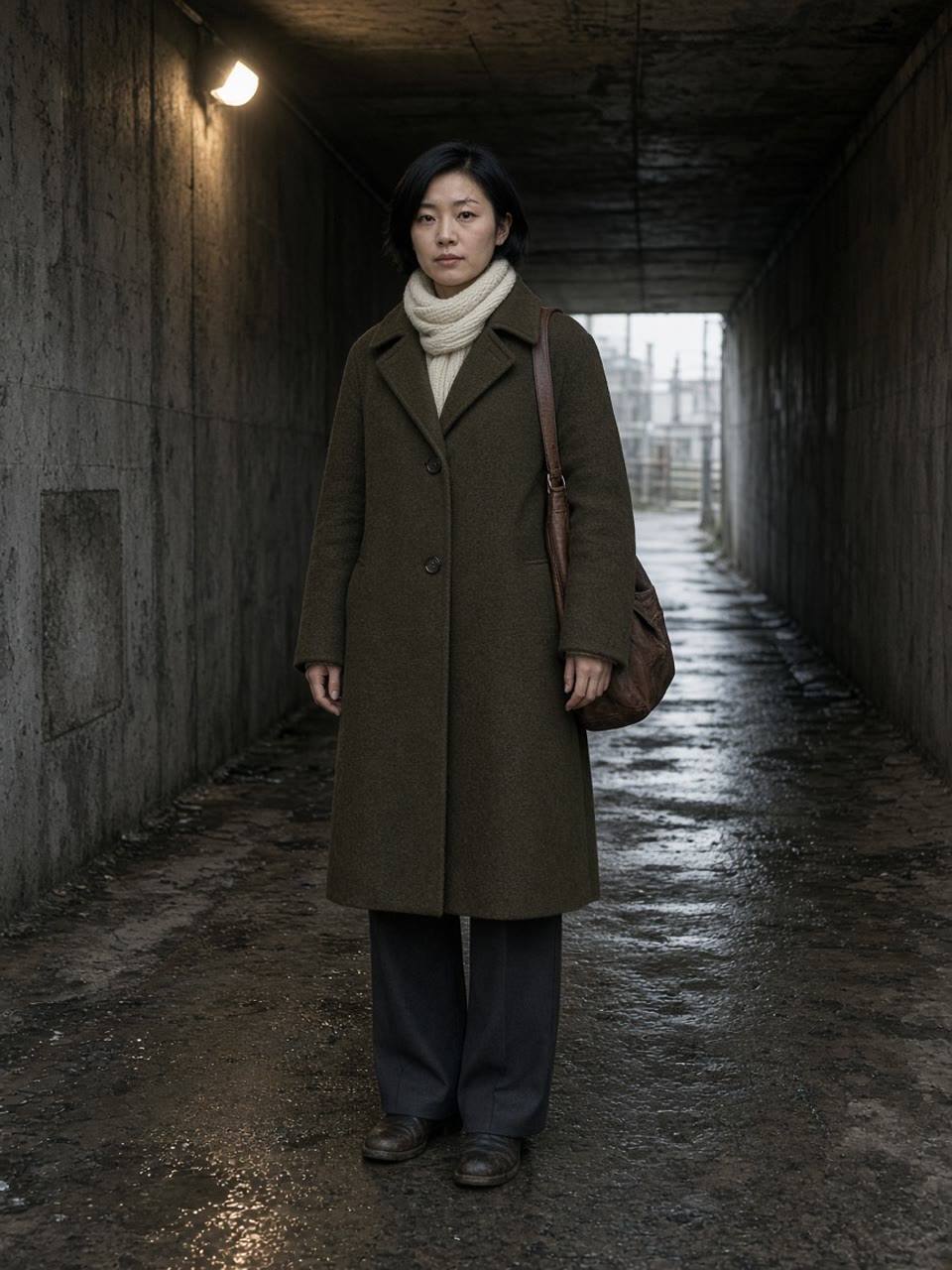
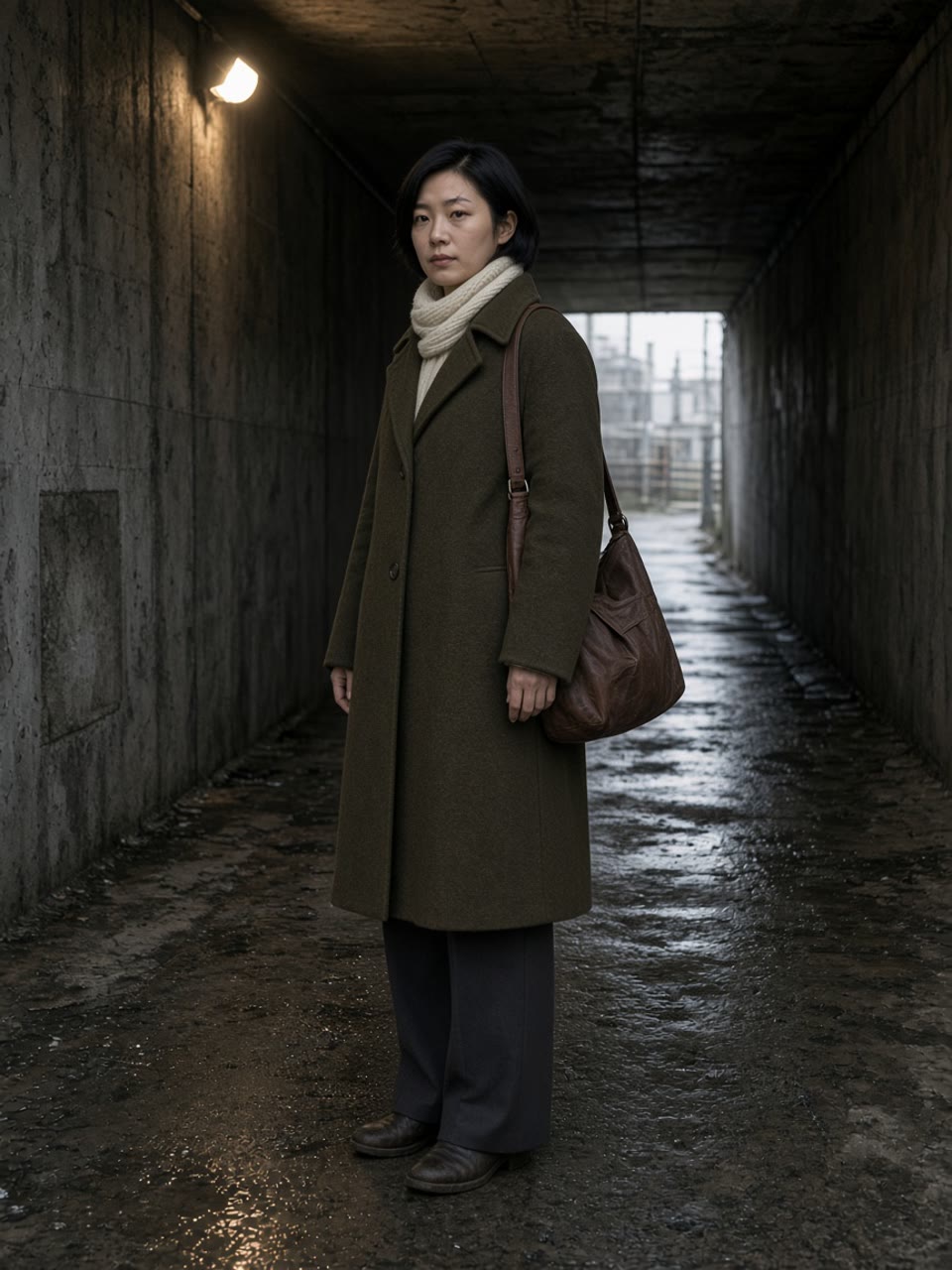
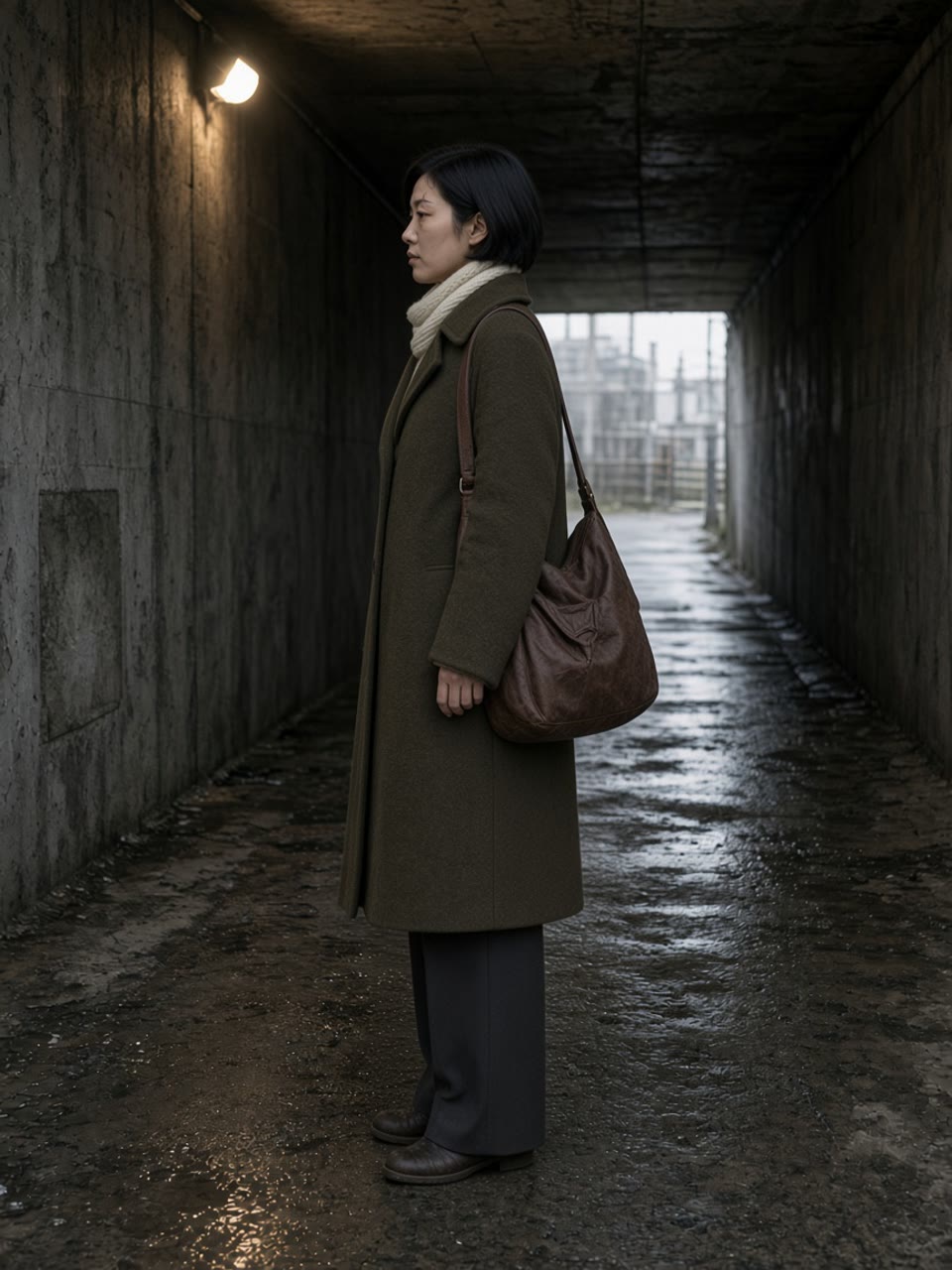
Image, model Seedream 5.0, ratio 3:4. Style category Live-action, preset AI Realistic. Paste the locked description and change only the angle line: front, then three-quarter, then profile. Generate each one. Do not ask a single prompt for all three angles.
02
Draw the shot she will walk from.
Same model, same style, ratio 16:9. She is standing. The prompt does not describe the walk. Generate, then press Continue in Canvas on the still you will move, and bring the three views across with it.
03
Grade once.
On the canvas, open Color grade and pick the preset Film. One grade, on the three views and on the shot still. Do not grade the clip afterwards and call it a match.
04
Use 3-View as a check, not as the master.
Select the front still. Open 3-View and choose Character 3-View. The canvas writes a new image on GPT-Image-2, 16:9, 2K, quality medium. Read it for a broken scarf or a missing scar. Do not replace the graded stills with it, and do not send that board into the video.
05
Move her in Seedance 2.5.
A small walk: Make it a video on the shot still. Duration 5 seconds. Sound off, so you are watching the face. Leave Camera movement off. Draft preview on if you only want the 480p try. A turn from front to profile: switch to First / last frame, front in the first slot, profile in the last. That mode sets aspect ratio to adaptive. A new place with the same person: References, and attach the three views. The prompt names the action and the place. It does not redesign her.
Copy the description as it is. Change the angle line only. If the scar, the coat or the bag drifts, regenerate that view. Do not “fix” it in the video prompt.
01 · Front02 · Three-quarter03 · Profile
Front · Seedream 5.0
A woman in her early thirties. Short black hair, side part, cut just under the ear. A thin pale scar through the left eyebrow. Olive wool coat, buttoned. Cream ribbed knit scarf. Charcoal trousers. A worn brown leather shoulder bag. Damp concrete railway underpass, one sodium lamp at frame left. Natural skin, available light. No text. No extra people. Front view, full figure, standing still, looking into the lens. Eye level.
Paper Gen, image. Style: Live-action → AI Realistic. Ratio 3:4. This prompt does not ask her to walk.
A woman in her early thirties. Short black hair, side part, cut just under the ear. A thin pale scar through the left eyebrow. Olive wool coat, buttoned. Cream ribbed knit scarf. Charcoal trousers. A worn brown leather shoulder bag. Damp concrete railway underpass, one sodium lamp at frame left. Natural skin, available light. No text. No extra people. Three-quarter view. Her left side is closer to the camera. Eyes toward the lamp. Full figure, standing still. Same camera height.
Same model, same style, same ratio. Only the angle line changed.
A woman in her early thirties. Short black hair, side part, cut just under the ear. A thin pale scar through the left eyebrow. Olive wool coat, buttoned. Cream ribbed knit scarf. Charcoal trousers. A worn brown leather shoulder bag. Damp concrete railway underpass, one sodium lamp at frame left. Natural skin, available light. No text. No extra people. Strict left profile, full figure, standing still. The scar stays on the near eyebrow. The bag sits against her back. Same camera height.
The last of the three views. If this face is a different person, stop and regenerate. Do not continue to video.
A woman in her early thirties. Short black hair, side part, cut just under the ear. A thin pale scar through the left eyebrow. Olive wool coat, buttoned. Cream ribbed knit scarf. Charcoal trousers. A worn brown leather shoulder bag. Damp concrete railway underpass, one sodium lamp at frame left. Natural skin, available light. No text. No extra people. Medium-wide shot, 16:9. She stands still on the left third, three-quarter toward camera. The tunnel mouth is on the right. Eye level. She does not walk.
The frame Make it a video will take. She is standing. Ratio 16:9. Same style.
Pick one. A walk uses the shot still alone. A turn needs the front and the profile as first and last. A new place needs all three views as references. The Seedance prompt guide is where a second, third and fourth shot belong.
Shot stillTwo steps later
Walk · Seedance 2.5
She takes two steps toward frame right. The scarf lifts once. The lamp and the concrete stay. The camera holds at eye level. The coat, the scarf, the bag and the scar through the left eyebrow do not change.
Make it a video, so the shot still is a reference and there is no last frame. Duration 5. Sound off. Camera movement off. Draft preview on only for the cheap 480p try.
She walks along the platform edge toward the grey daylight at the end of the underpass. The camera tracks beside her at eye level. Keep the face, coat, scarf, bag and the scar through the left eyebrow exactly as in the references. Do not redesign her.
Reference mode. Attach the front, the three-quarter and the profile. Up to 30 images. Do not paste the wardrobe paragraph again.
The sheet is the stills you graded. The video is the next button.
Luma’s sheet is a way to stop the next view inventing a new person. It is not in this product, and the notes from 4 and 5 November do not give you a price or an API to plan around. Seedream 5.0 stills, one Film grade, and Seedance 2.5 are the version of that habit you can run today. If the walk holds the scar and the coat, then spend the finish. If it does not, fix the still. Another sentence in the video prompt will not put the scar back.
The page description and the preset counter are from Luma’s Character Sheet page. The drift claim, and the missing price and limits, are Neurocartel’s 5 November roundup. The preset names, the cap of eight, and the missing API are ArtRealmAI’s 4 November note. AdGraam’s same-day note is the one that refuses a layout. None of those pages is a VibePaper feature list.
No. Paper Gen and the canvas do not list it. The stills in this guide are Seedream 5.0. The motion is Seedance 2.5. Character 3-View on the canvas is a separate check on GPT-Image-2, not a Luma preset.
Did Luma publish a price, an API, or a limit?
Not in the notes this guide uses. Neurocartel, AdGraam and ArtRealmAI all say the 4 November announcement left out price and limits. ArtRealmAI also says there was no API, no resolution and no credit cost. This page does not invent them.
Which Seedance mode should the sheet use?
Make it a video when one graded still only needs a small walk. It attaches that still as a reference and does not set a last frame. First / last frame when she must start on the front view and end on the profile. References when the place changes and the three views have to hold her. That mode accepts up to 30 images.
Does Character 3-View replace the three stills?
No. It builds one new image from the front still, on GPT-Image-2 at 16:9, 2K, quality medium. Use it to spot a broken coat. Animate the Seedream stills you graded with Film.
Why not one prompt that says “character sheet”?
One prompt that asks for every angle is where the face drifts. Three generations, the same description, one angle line changed, then one grade: that is the sheet.