Image to Video AI: Let the Still Do the Heavy Lifting
Image to video is the most controllable way to make AI video, as long as you pick the right still and stop describing what the picture already shows.
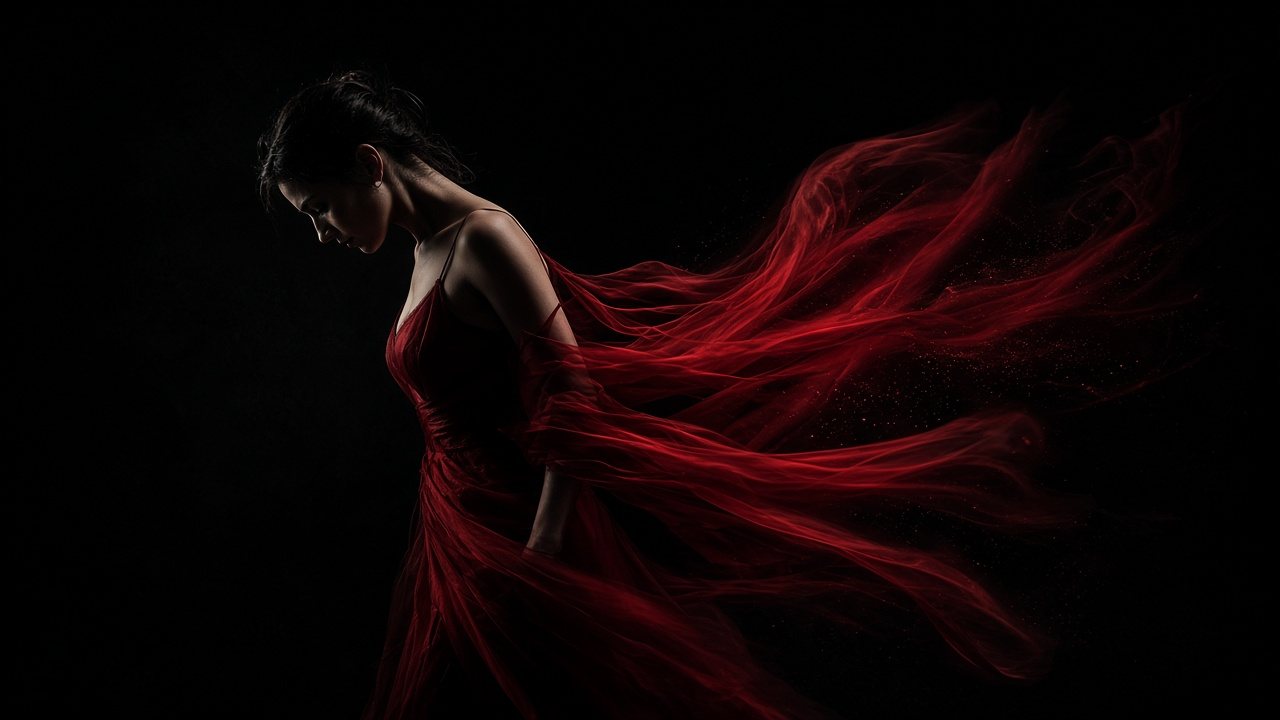
Text to video has to invent the subject, the set, the light and the motion all at once. Image to video only has to invent the motion. That is the whole argument for starting from a still, and it is a strong one.
Stills that animate well, and stills that don’t
Before generating anything I look at the source image for about ten seconds and ask whether it has somewhere to go.
| Animates well | Fights you |
|---|---|
| Subject with space around it | Subject cropped tight against the frame edge |
| Clear light direction | Flat, muddy light where nothing separates |
| One obvious thing that could move: hair, fabric, water, smoke | Busy scenes where everything competes |
| Same aspect ratio as the video you want | A square crop you plan to stretch into 9:16 |
Portraits and product shots tend to be safe bets. Group photos and dense street scenes tend not to be.
Write the motion, not the picture
This is the mistake I see most. People paste the original image prompt into the video prompt. The model already has the picture; repeating it wastes the words that should describe change.
A woman in a red dress against a black background, dramatic lighting, elegant.
The still already says all of this.
She turns slowly to her left; the dress lifts and trails behind her. Slow push-in.
One movement, one camera move. That is usually enough for a single shot.
The still is the casting and the set. The prompt is the direction.
First and last frames: when they are worth it
Paper Gen lets you set a first frame and a last frame and generates the motion between them. I reach for it in three situations: a product turning to reveal its other side, a transformation where the end state is fixed, and any shot that has to land on a specific composition so it cuts cleanly into the next one.
For everything else, a single first frame and a motion prompt is simpler and leaves the model room to surprise you.
Open the AI Video GeneratorUpload a still or use one you just generated.Questions
What can I use as the starting image?
Photos, portraits, product shots, illustrations or sketches.
What does setting a last frame do?
The model generates the motion that connects your first frame to your last frame.