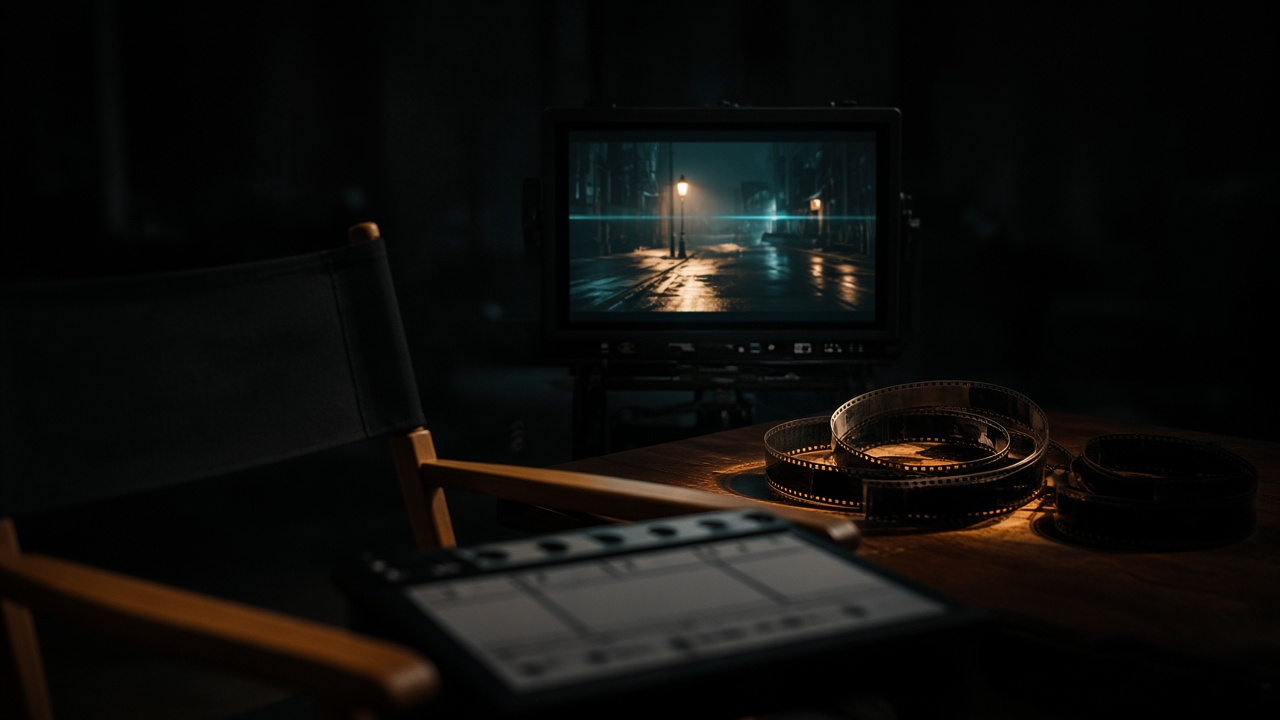
VibePaper is not Higgsfield, and this is not a lock screen, a phone background, or a desk setup. It is a multi-shot video workflow: plan on the infinite canvas, lock the still in Paper Gen, grade on the canvas, then animate with Seedance 2.5.
Scene
Four shots, one night
Still
Seedream 5.0
Motion
Seedance 2.5
Frame
16:9, set by you
28 OctCinema Studio 4.0 announced
30sPublished multi-shot length, was 15s
50Published reference cap, was 9
4–30sSeedance 2.5 in VibePaper
On 28 October 2026 Higgsfield announced Cinema Studio 4.0. The release describes a Director’s Panel that sets camera, lens, lighting, pacing, and character performance before anything is generated. Multi-shot scenes go to 30 seconds, up from 15 in 3.5, and the reference cap goes to 50, up from 9. The same note lists seven genres, decades from the 1960s through the 2020s, and an editing tempo from a single shot to fast cuts. You can open that product at higgsfield.ai. You can run the same kind of production loop here, with the controls VibePaper actually has.
Decide the shot. Then generate the shot. Do not ask one prompt to direct the scene.
Production
Five moves, in order
The links below set the model and the prompt. They do not set the ratio, the duration, or a style. Paper Gen reads the prompt once, then removes it from the address bar, so a reload will not wipe the next edit.
01
Put the shot list on the canvas.
Four cards. One action each: a push-in, a point of view, a high hold, a face. The infinite canvas is the call sheet. A vague sentence that tries to be all four will not cut together.
02
Lock the still in Paper Gen.
The image link opens Seedream 5.0 with the prompt filled in. Set 16:9 before Generate. If the frame is wrong, change one sentence. “4 more like this” keeps that prompt and makes four variations.
03
Grade on the canvas, not in Paper Gen.
Continue in Canvas opens a board with the prompt wired to the stored file. Select the image card. The style chip sits on the generate row. A preset is appended to the prompt. It does not replace the street or the face. Paper Gen has no style chip.
04
Animate with Seedance 2.5.
Make it a video switches to the video composer and attaches the still as a reference. The default video model is Seedance 2.5. Set Duration to a fixed length from 4 to 30 seconds. Auto is the default. Sound defaults on, so room tone can come out of the same pass. First / last frame is the other input mode, and it locks aspect ratio to adaptive.
05
Revise that shot, then the next.
On the canvas video node, add one camera chip or none. Draft preview locks the cheap pass to 480p. When the beat is right, Generate final. The next shot starts from this still or this clip. There is no Forward or Backward Extend button.
Director’s panel
What 4.0 published, and where it lives here
The left column is Higgsfield’s 28 October 2026 release, in our words. The right column is the VibePaper control that does that job, or the honest gap when there is no matching chip.
What 4.0 published, and where it lives here
Published
On VibePaper
A Director’s Panel for camera, lens, lighting, pacing, and performance before generation.
The camera chip is on the canvas video node. Lens and performance stay in the prompt. One style preset is the grade. A fixed duration is the pacing. Paper Gen has no style chip and no director panel.
Multi-shot scenes up to 30 seconds. Cinema Studio 3.5 stopped at 15.
Seedance 2.5 generates 4–30 seconds at 480p or 720p. One place and one action hold better than a cut-heavy scene. Put each cut on its own canvas card.
Up to 50 references. Version 3.5 took 9.
Reference mode takes up to 30 images, 10 videos, and 10 audio clips. First / last frame is separate, and it locks the ratio to adaptive.
Looks include modern digital, DV, 35mm, 8mm, anamorphic, and vintage lenses. Seven genres. Decades from the 1960s to the 2020s. Tempo from one shot to fast cuts.
There is no lens, genre, or decade chip. Write them. Grades that exist in Cinematic include Suspense, Showa Retro, and Dark Fairy Tale. Each one appends its own fragment, so read the note on the slate before you leave it on.
New camera moves: POV, robot arm, and helicopter. Custom light covers color, brightness, diffusion, and angle. The grade library grew from 8 presets to more than 50.
FPV Fly-through is a low fast push through a corridor that ends in a hard stop, not a wobbling 8mm POV. Drone Fly-through is a rush from a wide shot into a close-up, not a helicopter hold. There is no robot-arm preset. Light is the prompt plus one style fragment.
An Emotion Wheel for facial expression and body language.
There is no wheel. Write the face in one sentence and the body in the next. On the close-up only, Live-action → AI Realistic appends skin, soft light, and a 35mm note. American Realistic asks for a European or American face, so leave it off when the performer has to stay the one you wrote.
Forward/Backward Extend and Edit Video fix a shot after it exists. Speech, sound effects, and music can be generated in the same pass.
There is no extend button. The next beat uses the approved still as the first frame, or the clip as one of the ten video references. Draft preview is 480p. Generate final builds the full shot from that preview. Sound defaults on.
A published price example: about 70 credits for 10 seconds at 720p with native audio in 16:9, and about 480 credits for 30 seconds at 1080p, or 360 during a limited discount. Content protection screens real faces and protected IP.
Those credits are Higgsfield’s, at higgsfield.ai. VibePaper shows its own price on Generate before you submit. Write an original adult. Do not upload a real person’s photo or a protected character as the reference.
Shot board
Four looks, copied as shots
Each card is one still and one move. Generate the still first. Grade it only if the note says the preset helps. Then ask Seedance for that one move.
0135mm night street, push-in
Lens in the prompt: 35mm anamorphic feel.
Grade: Cinematic → Suspense, after the street is right.
Camera chip: Push In.
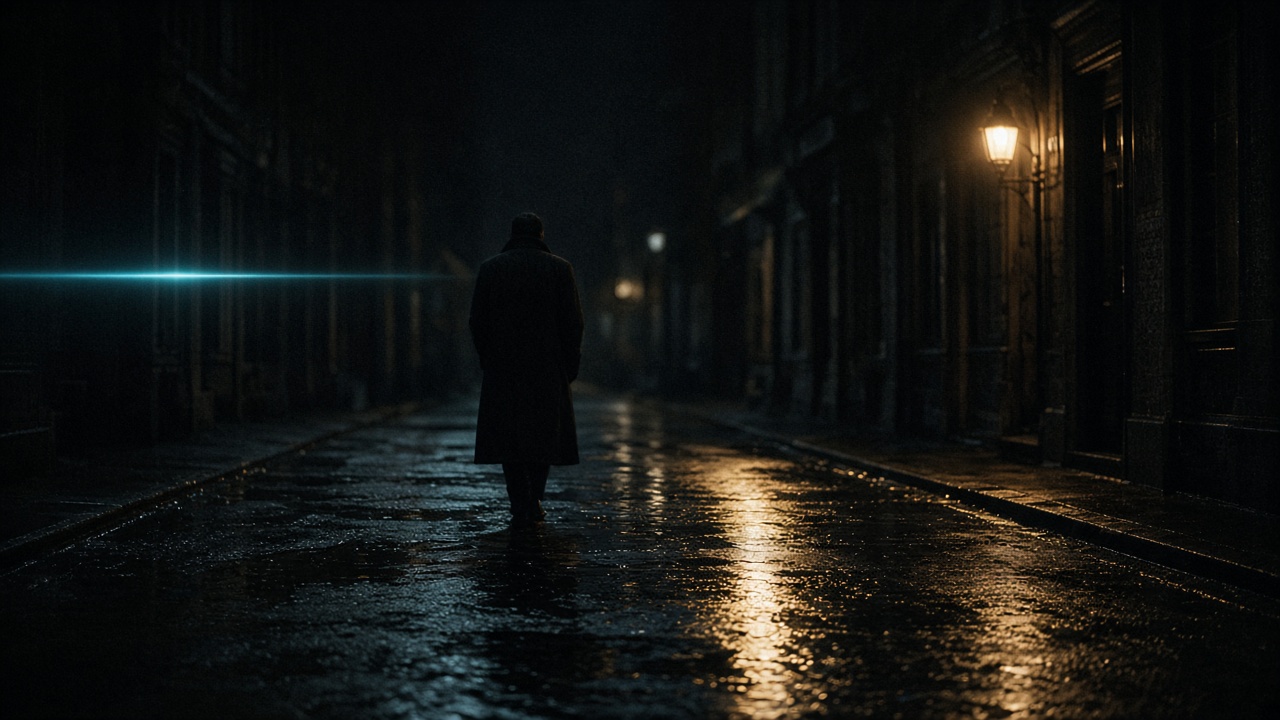
One figure, face hidden, one practical, wet ground. Suspense appends a cold, low-exposure, high-contrast thriller grade. It can pull the tungsten toward blue. Clear the style if that lamp has to stay warm.
Still
Night street after rain, 35mm anamorphic feel inside a 16:9 frame. Wet asphalt. One tungsten practical over a closed shop. A thin cyan flare at the left. An original adult in a dark coat, seen from behind, walking away, face hidden. No readable signs. No logos. No text.
Paper Gen, Seedream 5.0. Set 16:9 yourself. The link does not.
The same street, the same coat, the same tungsten practical. The camera pushes in slowly along the wet asphalt toward the figure. They do not turn. One continuous shot. No cut. Distant traffic only. No dialogue. No text.
Push In appends a continuous dolly toward the subject. One move. Fixed duration, not Auto.
Grade: Cinematic → Showa Retro, if you want warm grain.
Camera chip: off.
Showa Retro is warm old film and a quiet nostalgic mood. Clear it if the alley turns into a still memory. FPV Fly-through is the wrong chip: it is a low fast corridor rush with a hard stop, not a handheld wobble.
Still
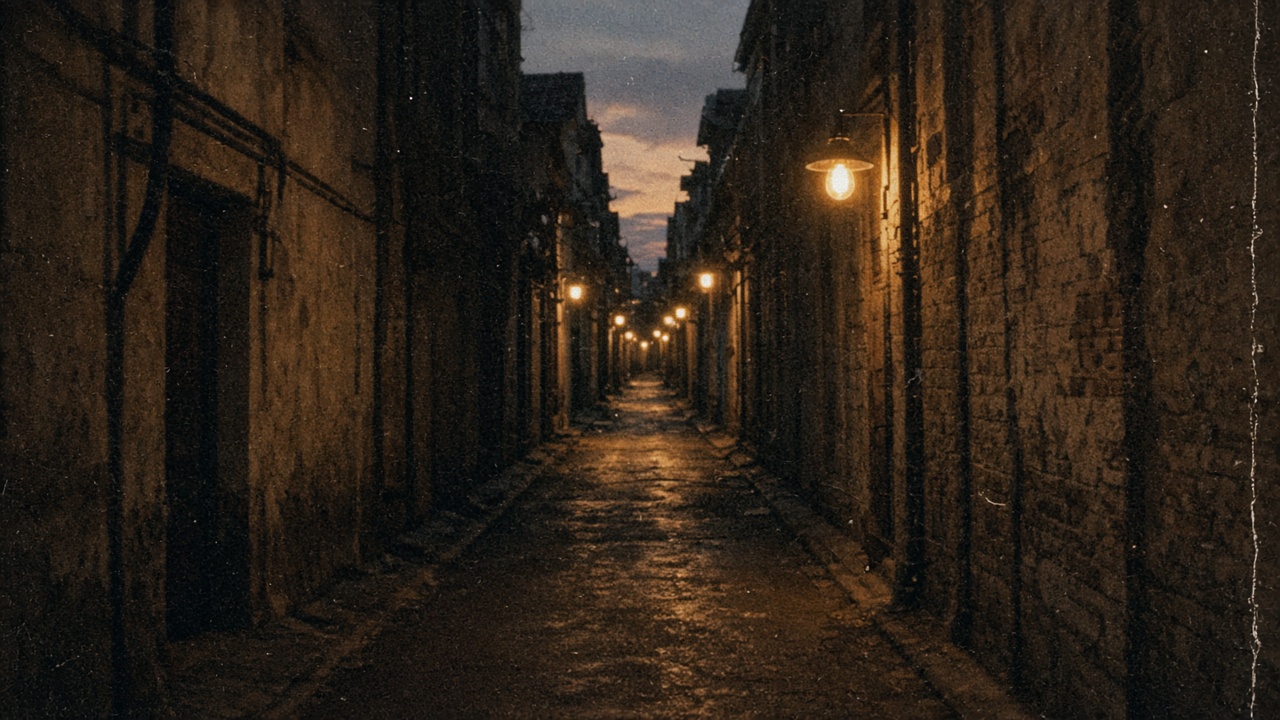
Handheld 8mm point of view down a narrow empty alley at dusk. Warm practical bulbs, heavy film grain, a little gate weave. No people. No faces. No signs. No text.
Empty alley. No faces. Grain is in the prompt, not a film-stock chip.
Dark Fairy Tale is a wide cold grade and its fragment adds fog and cloud. This city is clear, so leave it off. Drone Fly-through rushes from a wide shot into a close-up. Pull Out moves backward. Neither is a helicopter holding position.
Still
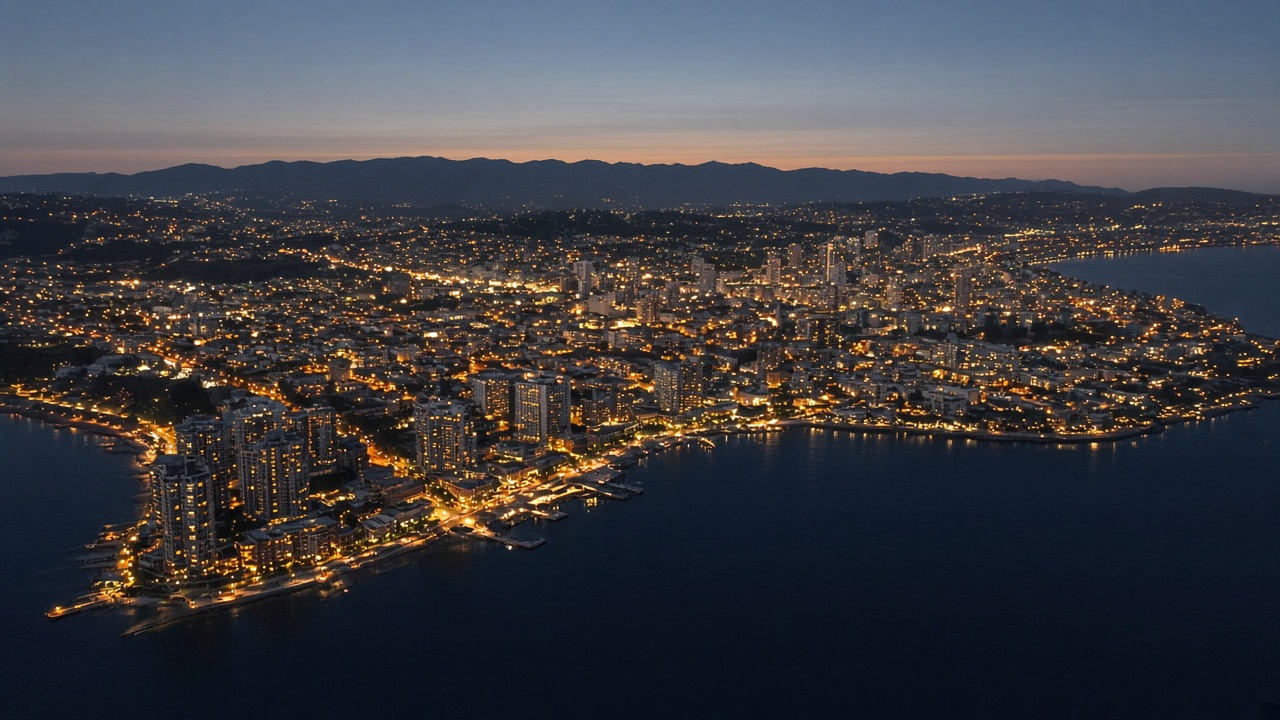
High wide view of a coastal city at dusk, as if a helicopter is holding position. Amber windows. Dark water along the lower third. Clear air, no fog. No aircraft in frame. No text. No logos.
No aircraft in the frame. The height is the sentence, not a vehicle you have to draw.
Grade: Live-action → AI Realistic, this card only.
Camera chip: off.
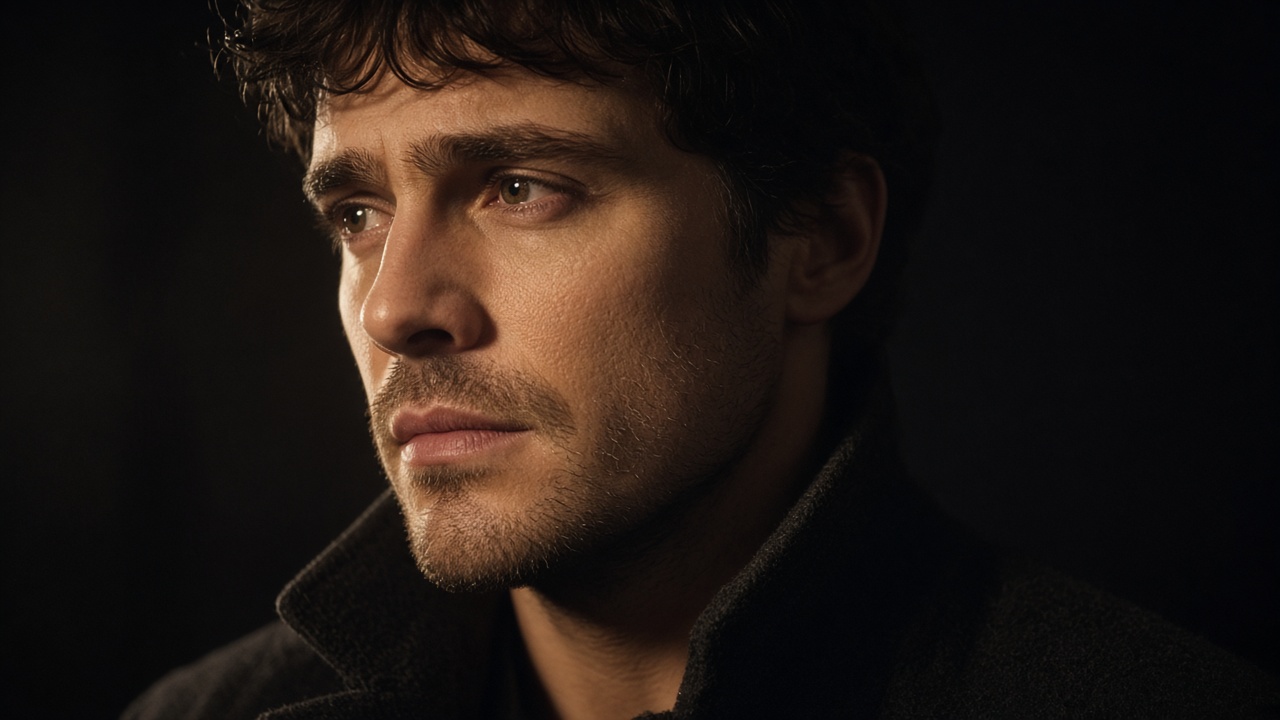
AI Realistic appends pore-level skin, soft cinematic light, shallow depth, and a 35mm note. It will fight a wide shot, so do not put it on the street. American Realistic asks for a European or American face. There is no Emotion Wheel. The blink is the whole performance.
Still
Close shot of an original adult, not a public figure, three-quarter face. Tungsten key from the left, soft falloff. Jaw set, a look held just short of tears. Hands out of frame. 35mm, shallow depth, fine grain. No text.
Original adult. Not a public figure. Do not upload a real person’s photo.
Cinema Studio 4.0 publishes Forward and Backward Extend, plus Edit Video, for fixes after a generation. VibePaper does not have those buttons. Seedance 2.5 can take the clip you just made as one video reference, up to ten, or you can pin the approved still as the first frame and write only the next beat. A long sequence with several places is harder to keep in one generation. The Seedance 2.5 model here is 4–30 seconds, 480p or 720p, with Sound on by default. Draft preview forces 480p. Generate final, on the canvas, is the full shot from that preview. Change one sentence. Do not restage the night.
The call sheet is the canvas.
Open the night street, set 16:9, and do not grade it until the coat and the lamp are the ones you wanted.
Figures for Cinema Studio 4.0 come from Higgsfield’s release distributed by PR Newswire on 28 October 2026. Seedance limits are the current seedance2-5 definition in this product: 4–30 seconds, 480p or 720p, reference mode or first/last frame, Sound on by default.
No. Cinema Studio 4.0 is Higgsfield’s product, announced 28 October 2026 and available at higgsfield.ai. This guide uses Paper Gen, the infinite canvas, Seedream 5.0, and Seedance 2.5 to direct a multi-shot sequence with the controls that exist here.
Does Seedance 2.5 generate a 30-second multi-shot scene?
The model generates 4–30 seconds at 480p or 720p. Continuity is better with one place and one action. Plan cuts as separate cards, then carry the approved still or clip into the next generation.
Where are the style and camera controls?
Not in Paper Gen. Continue in Canvas, select the card, and use the style chip on an image or video node. The camera chip is on video nodes only. Presets append a prompt fragment. They do not replace your subject.
Why does the link not set 16:9?
The link sets model and prompt. Paper Gen reads the prompt once and removes it from the address bar. Ratio, duration, Sound, and Draft preview are controls you set before Generate. First / last frame locks aspect ratio to adaptive.